Create Maps
Place registered pieces, move the player spawn, select multiple objects, resize them visually and lock important items against accidental edits.
Build, playtest and prepare custom JumpFall levels with desktop controls and an experimental multiplatform interface for touch, mouse and controller workflows.
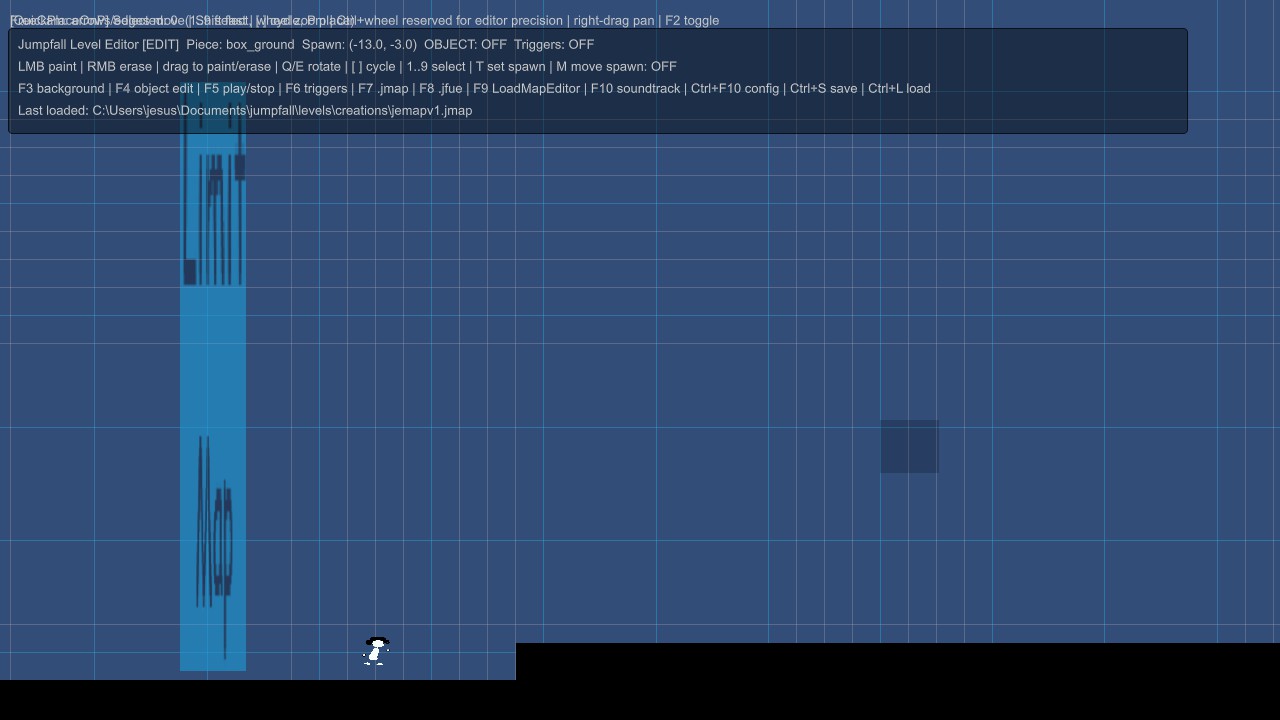
Place registered pieces, move the player spawn, select multiple objects, resize them visually and lock important items against accidental edits.
Enter playtest without leaving the editor. The editor hides its construction HUD, follows the player and restores the editable state when testing ends.
Keep editable .jmap projects, compile playable .jfue files and use the external JSM compiler to prepare Workshop-ready .jsm packages.
The current LevelData format supports creator systems beyond basic platforms while preserving a controlled runtime contract.
Configure map gravity, jump plates with visual landing targets, elevators, checkpoints, jump orbs and safe player spawn placement.
Use death zones, map limits, level changes, finish zones, static cameras, visibility, timers, wall-jump zones and configurable object events.
Maps can include PNG backgrounds, silent MP4/WebM backgrounds, WAV/OGG soundtracks and restricted Lua events stored inside the map package.
A visual graph can define 2D boss movement, phases, attacks and object signals. It remains a beta creator feature and should be playtested carefully.
Video backgrounds are temporarily rejected by the Linux build with a Map not compatible message. PNG backgrounds and maps without video remain supported while automatic transcoding is evaluated.
The editor is a central Early Access system. Interface clarity, controller and touch workflows, compatibility and map safety continue to improve through testing.
Current user documentation is available in the JumpFall tutorials. This page works as the official overview and entry point.